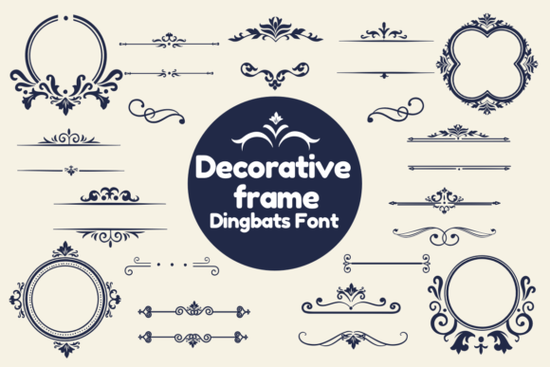
If you’ve ever wanted to add elegant borders or ornate picture frames around your text without switching to image editing software a Decorative Frame Font might be exactly what you need. This type of dingbat font turns regular keystrokes into beautifully crafted frame designs. Type “A,” and you get one style of frame; type “B,” and you get another. It’s a quick, scalable way to enhance quotes, invitations, social media graphics, or product labels with visual flair.
Unlike traditional fonts that display letters or numbers, dingbat fonts like this one are made up entirely of symbols in this case, decorative frames. They work in any program that supports standard fonts (like Canva, Adobe Illustrator, Microsoft Word, or even Cricut Design Space), so you don’t need special software to use them.
Who can benefit from using a Decorative Frame Font?
This kind of font is especially handy for:
- Print-on-demand sellers creating mugs, posters, or greeting cards with framed quotes.
- Small business owners designing branded packaging, labels, or promotional flyers.
- Crafters and hobbyists making scrapbook layouts, wall art, or handmade cards.
- Graphic designers looking for quick embellishments that scale cleanly at any size.
Because the frames are vector-based (just like regular fonts), they stay sharp whether you’re printing a tiny sticker or a large poster.
How do you actually use it?
Once installed on your computer or design platform, using the font is as simple as typing. Each character corresponds to a unique frame design. For example:
- Open your design software.
- Type a single letter (like “M” or “5”).
- Switch the font to Decorative Frame Font.
- The letter instantly becomes a frame.
You can then place your actual text or image inside or behind the frame by adjusting layers or using clipping masks depending on your software. Many users pair these frames with script fonts or minimalist sans-serifs for a balanced look.
If you enjoy playful, thematic fonts, you might also like exploring other creative dingbats like the Black Cute Cat Font, which offers whimsical cat-shaped characters perfect for pet-themed projects or children’s designs.
What makes this different from clipart or PNG frames?
Clipart and PNG frames are raster images they can pixelate when enlarged and often come with fixed colors or backgrounds. A dingbat font like the Decorative Frame Font gives you complete control: change the color, size, or opacity with a single click, just like changing text. You can even apply gradients or effects if your software allows it.
This flexibility saves time and ensures consistency across your designs especially useful if you’re creating a series of matching products or social posts.
Tips for getting the best results
To make the most of your decorative frame font:
- Check your keyboard map. Most dingbat fonts include a PDF guide showing which key produces which frame. Keep it handy while designing.
- Use high-contrast colors. A gold frame on a dark background or a white frame on pastel paper often looks more polished than matching tones.
- Avoid overcrowding. One well-placed frame usually has more impact than several competing for attention.
- Pair thoughtfully. Delicate frames work best with elegant or handwritten fonts; bolder frames can handle chunky modern typefaces.
And if you’re building a library of versatile design assets, consider browsing more options in the decorative frame and dingbats fonts collection it’s a great place to find complementary styles for seasonal or themed projects.
Ready to try it?
Before you start, make sure your software supports OpenType or TrueType fonts (most do). Then:
- Download and install the font.
- Open your design tool and create a text box.
- Type a few characters and switch to the Decorative Frame Font.
- Experiment with sizing, color, and layering until the frame enhances not overwhelms your message.
With just a few keystrokes, you’ll add professional-looking detail that feels custom-made, not generic. And because it’s a font, you can reuse it endlessly across projects without licensing worries (always double-check the license terms for commercial use, though).
Learn More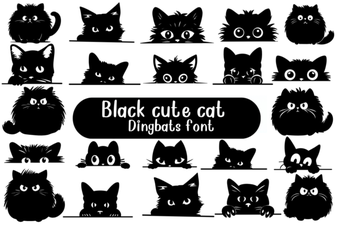 Creative Uses for a Black Cute Cat Font
 Doodle Your Designs with Doodline Font
 Craft Sports Designs with Jersey Outline Fonts
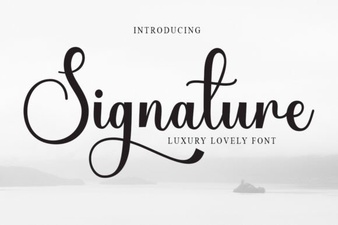 Personalize Your Projects with a Signature Font
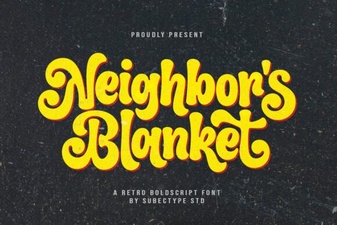 Designing with Neighbor's Blanket Font
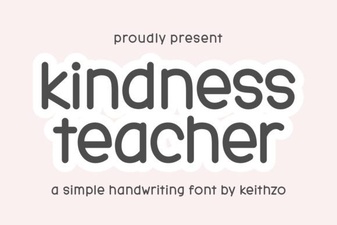 Kindness Teacher Fonts for Your Classroom Projects