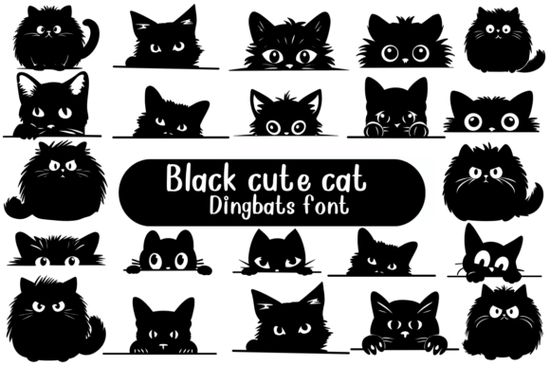
If you’ve ever wanted to add a little feline charm to your designs without drawing from scratch, the Black Cute Cat Font offers a clever shortcut. This playful dingbat font features a single adorable black cat shown in over 30 different poses peeking out from corners, curling up, stretching, or just lounging with curious eyes. Instead of letters or numbers, each keystroke gives you a tiny illustrated moment, making it ideal for greeting cards, stickers, planner pages, or even whimsical product packaging.
Unlike standard fonts that focus on readability, dingbat fonts like this one are all about visual storytelling. The Black Cute Cat Font leans into personality rather than function, letting you sprinkle consistent, on-brand illustrations across your projects with just a few clicks. It’s especially handy if you’re not confident in your illustration skills but still want hand-drawn charm in your work.
Who is this font actually useful for?
While anyone who loves cats might enjoy this font, it’s particularly practical for specific creative roles:
- Print-on-demand sellers can use it to create themed mugs, T-shirts, or phone cases featuring subtle cat graphics without licensing complex artwork.
- Planner and journal designers often need small decorative elements this font works perfectly as section dividers, mood trackers, or habit icons.
- Crafters using Cricut or Silhouette machines can easily cut out consistent cat shapes for vinyl decals, greeting cards, or scrapbook embellishments.
- Small businesses with pet-related brands (like cat cafes, grooming services, or toy shops) can add branded flair to social media posts or packaging.
If you're already browsing Creative Fabrica’s collection of decorative fonts, you might also appreciate other thematic dingbats like the ornate frame-style dingbat set, which pairs well when you want to surround your cat illustrations with elegant borders.
How do you actually use a dingbat font like this?
Using the Black Cute Cat Font is simpler than it sounds. Once installed on your computer or design software (like Adobe Illustrator, Canva, or Affinity Designer), you just type any letter or number and instead of text, you’ll see a cat pose appear. Most dingbat fonts map their graphics to standard keyboard characters, so “A” might show the cat sleeping, while “B” shows it batting at a yarn ball.
Pro tip: Open the font in your system’s character map (Windows) or Font Book (Mac) to preview all available glyphs before placing them in your layout. That way, you can pick the exact pose you need without trial and error.
For layered designs, consider pairing this font with clean sans-serif typefaces to balance the whimsy with clarity. Avoid using it alongside other overly decorative fonts too much visual noise can dilute its charm.
Is this font commercial-use friendly?
Yes. Like most Creative Fabrica fonts, the Black Cute Cat Font comes with a commercial license when downloaded through their platform. That means you can use it in products you sell, whether digital (like printable planners) or physical (like embroidered tote bags). Just be sure you’re not redistributing the font file itself or claiming the artwork as your own original creation.
If you’d like to explore similar options or verify licensing details, you can view the full listing for the Black Cute Cat Font directly on Creative Fabrica.
What kinds of projects work best with this style?
This font shines in contexts where warmth and personality matter more than formal typography. Think:
- Birthday or holiday cards for cat lovers
- Sticker sheets for bullet journals
- Patterns for fabric or wrapping paper
- Social media graphics for pet adoption campaigns
- Children’s book accents or activity pages
It’s less suited for body text, headlines, or professional documents but that’s not what it’s designed for. Used intentionally, it adds a smile without overwhelming your message.
If you enjoy thematic dingbats, don’t miss the curated selection at Creative Fabrica’s dedicated dingbat category, where you’ll find everything from floral sprigs to seasonal icons all ready to drop into your next project.
Before you download: a quick checklist
- ✅ Confirm your design software supports OpenType or TrueType fonts.
- ✅ Check if you need SVG format for color layers (this font is likely single-color).
- ✅ Plan how many unique poses you’ll actually use sometimes fewer is more cohesive.
- ✅ Pair it with neutral backgrounds so the black cat stands out clearly.
Start small: try using just one or two cat glyphs as accents in your next design. You might be surprised how much character such a simple element can bring.
Download Now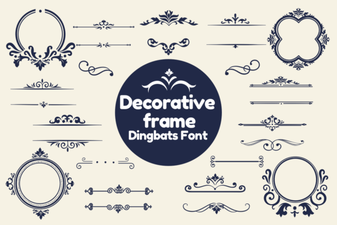 Decorative Frame Fonts for Creative Projects
 Doodle Your Designs with Doodline Font
 Craft Sports Designs with Jersey Outline Fonts
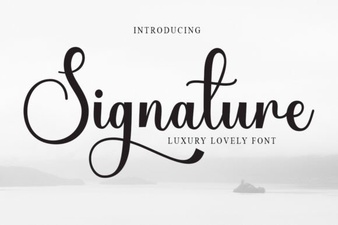 Personalize Your Projects with a Signature Font
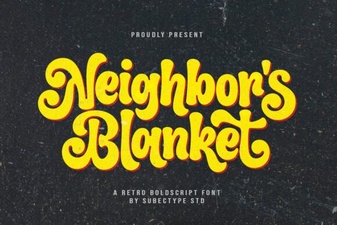 Designing with Neighbor's Blanket Font
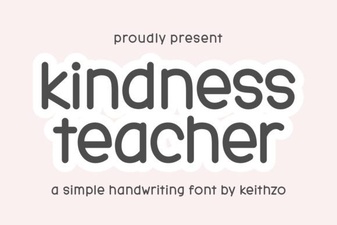 Kindness Teacher Fonts for Your Classroom Projects